Seating Chart in a Spreadsheet vs Dedicated Seating Tools
Spreadsheets work for small weddings, but struggle with late RSVPs and dual-file updates.
Most couples start their seating chart in a spreadsheet, and for good reason. It costs nothing, everyone already knows how to use it, and for a small, settled guest list, it genuinely does the job well.
A well-built spreadsheet tracks five essential columns: Guest Name, Table Number, RSVP Status, Dietary Needs, and Group or Relationship. Keep those five in one shareable file and most of what seating planning requires is already covered. Google Sheets adds real-time editing for multiple people at once, filter views that let one person sort by table without disrupting what anyone else is looking at, and colour-coded RSVP status, all for free. Excel brings its own advantage: a COUNTIF formula can flag a table that's been assigned more guests than it has seats, before a single chair gets set. That check takes seconds. A printed poster cannot do it.
Both formats export to PDF for a venue handoff, but Google Sheets strips hyperlinks when it does. For couples with a guest list under 50 or so, confirmed well ahead of time, a spreadsheet paired with a Canva poster for display is a complete answer, and it costs nothing. Below that threshold, the spreadsheet earns its place as the default.
The structural problem spreadsheets cannot solve: two files that never talk to each other
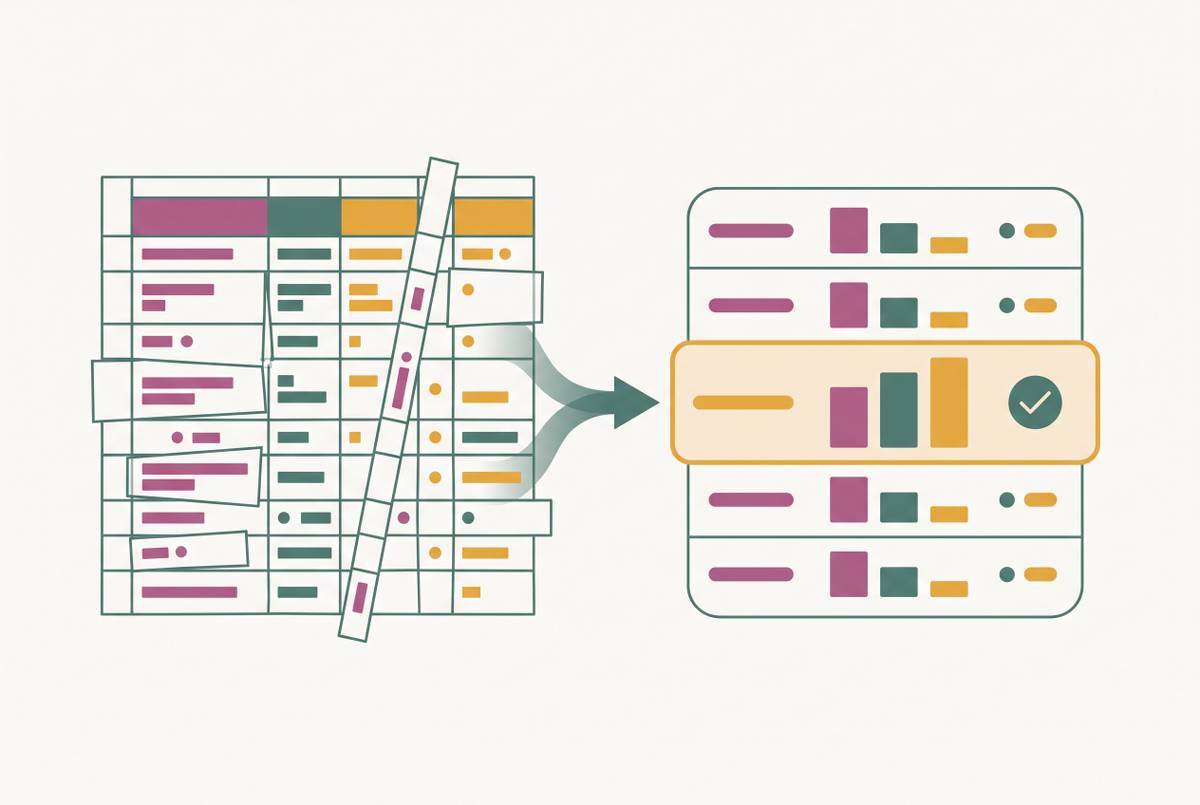
The spreadsheet's weakness is built into the format itself: every wedding seating plan run on a spreadsheet splits into two separate files that have no way of knowing about each other, a planning list and a display poster.
Rows and columns read clearly on a laptop screen and badly from six feet away, propped on an easel at the reception entrance. That's the entire reason a second file exists in the first place: someone has to turn the spreadsheet into something guests can actually read standing up. So a couple builds a Canva poster, or prints a board, or fills out a typeable PDF, alongside the spreadsheet they've already built. Now there are two files instead of one.
The trouble appears the moment anything changes, because neither file updates the other. If you move one guest from table four to table nine, you edit a single row in the spreadsheet. It also means dragging a text box across the Canva canvas, or filling out the typeable PDF again from scratch. A late RSVP that shifts one seat produces that same duplication every single time, because neither file has any idea the other one exists. Every edit has to happen twice, by hand, for the same piece of information.
How late RSVPs strain a two-file workflow
Late RSVPs are the normal condition of wedding planning, and they hit the two-file workflow at precisely the moment it can least absorb the extra work.
For a small, settled guest list, this plays out as a handful of swaps near the end, and a spreadsheet absorbs that without much strain. Larger guest lists tell a different story. RSVPs trickle in across several weeks rather than landing all at once, and each response that arrives requires a separate update in the planning file and the display file. One wave of replies after an invitation deadline can mean dozens of double-edits in a single week, each one a chance to update one file and forget the other.
The most common planning mistake compounds this: sketching out tables before the guest list has settled. A cousin declines, a colleague adds a plus-one at the last minute, and suddenly whole groups need to move, not just one name.
Dietary requirements raise the stakes further. Dietary needs have to be tracked at the guest level, not the table level. Every table reshuffle is therefore also a dietary-tracking event. A spreadsheet can hold that information in one column just fine, but it has no way to flag the seating display when a guest with a severe allergy changes tables. Meal choices need to be recorded per person, because kitchens route food by seat, not by table. A manual system that loses the thread between a guest's name and their seat the night before the wedding is a real service risk, not a cosmetic one. Australian caterers need something specific from couples: a structured summary of dietary restrictions grouped by type, and any severe allergies listed by name and table number. A manual two-file workflow can't produce that without a week of reformatting right before the wedding.
What Canva, printed boards, and typeable PDFs can and cannot do
The tools couples reach for after the spreadsheet, Canva, printed boards, and typeable PDFs, each render the chart in a readable, presentable way for guests. None of them touch the planning problem.
For pure visual impact, custom printed boards are the top-end option. A calligrapher or sign maker renders the chart on mirror, acrylic, or foam board, and as a physical object at a reception, nothing else comes close. But the board is frozen the moment it's printed. Every RSVP change that lands after the artist's deadline means a rewrite or a full redo. And on the night, guests crowd around it, scanning name after name to find their own table, with no way to check who else is sitting with them short of walking back for a second look. Printed boards make the most sense when the guest list is locked in more than two weeks out and the couple is prioritizing how the display looks over how easy it is to change.
Canva takes a different approach. Its "Wedding Seating Chart" category holds 463 templates at last count, each one built to produce a finished visual for printing or display, not to track RSVPs or sort a guest list. As the guest count grows, templates get harder to manage, because every change means you drag a text box by hand, with no link back to whatever planning list the couple is actually using. Canva fits best as a last step: build the guest list and seating assignments in a spreadsheet first, then use a Canva template to design the printed layout once everything is final.
Typeable PDFs land somewhere in between, easy to fill in once, tedious to update repeatedly. None of these three formats can answer the question a caterer or coordinator actually needs answered: who confirmed, what are they eating, and where are they sitting, delivered as one current, exportable document.
What a dedicated seating tool does differently
A dedicated seating tool earns its place by solving the two things a spreadsheet structurally cannot: connecting live guest data to the layout, and keeping both in sync without anyone re-entering information by hand.
Four capabilities matter here, roughly in the order wedding planning tends to surface them. First, guest data has to flow into the chart directly, names, plus-ones, dietary flags pulled from the RSVP system itself, not copied over into a second list someone maintains by hand. When those two sources drift apart, the result is the classic seating-day disaster: a table set with more place settings than confirmed guests. Second, editing needs to be fast and forgiving, drag-and-drop with undo, because couples rearrange tables more than they expect to. Family politics can shift, a vendor table needs to move, or someone cancels two days out. Dragging a name from one table to another beats retyping spreadsheet cells the night before the rehearsal. Third, the tool needs to export in a form the venue will actually accept: a PDF, a table list, or a labelled diagram, whatever the coordinator asked for, ready to email at 10pm without reformatting. Fourth, collaboration needs real sharing permissions or clear version history, so partners, parents, and planners aren't juggling three files all named seating_FINAL_v9.
The QR seat-finder category adds a layer built for guests rather than planners: scan a code, type a name, see a table assignment. That one feature solves the exact crowding problem a printed board creates, without giving up the visual polish of a designed display, and it updates instantly without anyone reprinting anything.
None of this means every couple needs a dedicated tool. A dedicated platform earns its cost and its learning curve only once the guest list is large enough, unstable enough, or complicated enough that manual reconciliation has become the actual bottleneck in planning. If your guest list is small and settled, a spreadsheet and a Canva poster remain a complete, free answer.
How WedBuild connects RSVPs, dietary requirements, and seating
WedBuild is built around closing the exact gap described above. Every piece of data gets entered once, guest name, RSVP, dietary requirement, and flows automatically into both the seating chart and the day-of QR seat finder, with no re-entry required.
Each capability maps directly back to a problem named earlier. The RSVP-to-seating connection closes the gap that makes late responses a crisis under a spreadsheet workflow: once a guest confirms, their meal choice and dietary flags appear in the seating chart immediately, without anyone copying that information over by hand. If dietary requirements need to travel alongside seating assignments, you need a system that captures both at the guest level and keeps them synced automatically for caterer handoff. All-in-one platforms built around that constraint, including WedBuild, generate the structured dietary summary Australian caterers actually ask for: restrictions grouped by type, severe allergies flagged by name and table number, updated automatically in real time as RSVPs come in. The day-of QR seat finder lets guests search for their name at the venue entrance instead of crowding around a printed board, while still keeping a designed, polished look. Vendor comparison lives in the same platform too, so quotes, budget tracking, and seating logistics stay in one place instead of scattered across separate inboxes and apps.
WedBuild was built by Henry and Elise, an accountant and an engineer who planned their own wedding and built the tool they wished had existed at the time. That background is visible in the product's bias toward precision and less manual work: dietary flags and seating data sync automatically rather than asking couples to reconcile two lists by hand.
The platform is free to start, with paid upgrades available as a one-time payment. It's built with Australian couples in mind specifically: AUD is the default currency, with USD, NZD, GBP, EUR, and JPY also supported, vendor categories reflect how Australian couples actually plan, and the tool accounts for Australian venue seasons and layouts. It's proudly built in Australia, though available for weddings anywhere in the world.
Other dedicated tools worth knowing
No single tool fits every couple. It depends on your guest count, how complicated your floor plan is, and whether seating stands alone or sits inside a larger planning workflow.
RH Seating, a dedicated QR seat finder, fits couples who want that guest-facing scan-and-search experience and don't mind managing their guest list and dietary data somewhere else, because it doesn't offer integrated RSVP management on its own.
Wedding Studio takes a different approach as a seating chart generator. Building the floor plan once exports a floor plan PNG, a designed poster PDF, table cards, a guest list, and a meal-count sheet, all pulled from a single guest list, free to build and download with no account required. Free PDF exports carry a "Made with Wedding Studio" footer credit. It suits couples who want a clean, ready-to-print export for a venue or a stationer but don't need integrated RSVP management or budget tracking built in.
Professional-tier venue diagramming suites exist too, built for gala-scale seated dinners run by a production team rather than a single evening managed by the couple themselves. They're the right scale for conference-style events, not for most weddings.
Generic QR code generators deserve a mention mainly as a caution. Point one at a static PDF and guests end up pinch-zooming a poster on their phone screens, with no name search, no privacy, and no way to make an edit without breaking the code. That's fine for a menu page or a photo album. It's the wrong tool for seating.
Choosing between a spreadsheet and a dedicated tool for your wedding
The right choice comes down to two things: how stable the guest list is, and how many other systems the seating chart needs to connect to. It isn't a question of favoring new technology over something simple that already works.
Stick with a spreadsheet, paired with a Canva poster, when the guest list is small and settled well ahead of time and unlikely to shift after the RSVP deadline passes. The same applies when dietary requirements are simple enough to pass along verbally or in a short email to the caterer, and when seating is the only piece of planning still open, with budget, vendor comparisons, and invitations already handled somewhere else with nothing to gain from linking them together.
Move to a dedicated tool once the guest list is large enough that late RSVPs will trigger multiple rounds of edits across both the planning file and the display; past that point, the duplication is no longer a minor annoyance but real, recurring work. The same applies once dietary requirements need to reach a caterer in a structured format, restrictions grouped by type, severe allergies listed by name and table number, counts broken out by meal option, or once seating is one piece of a bigger workflow that already includes RSVPs, budget, vendor quotes, and a wedding website, where re-entering the same guest data into separate tools has already caused errors or mismatched versions. An irregular floor plan, multiple rooms, or table configurations that change between ceremony and reception point the same way.
For Australian couples managing all of it in one place, RSVPs, dietary tracking, seating, budget, and vendor comparison, WedBuild is free to start, and it connects every piece of guest data so nothing has to be typed in twice.