Vendor Quote Comparison in Spreadsheets vs Dedicated Tools
Dedicated tools handle the interdependent data that spreadsheets cannot keep in sync.
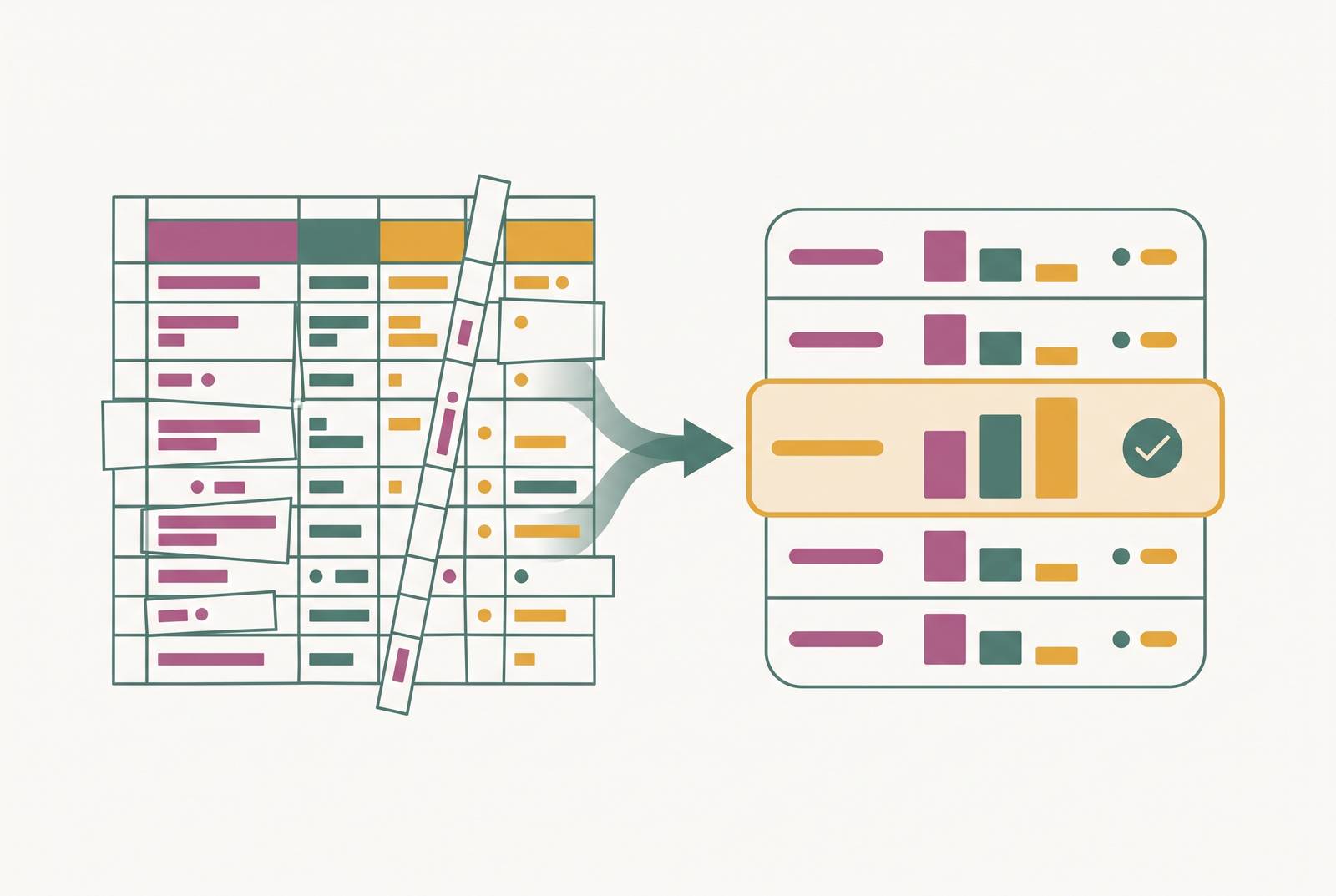
Vendor quote comparison is where wedding planning complexity peaks. A couple must coordinate 10 to 20 vendors, each with its own pricing structure, payment schedule, and contract terms, while every other planning stream shifts around those numbers. Dedicated tools solve the specific failure points that spreadsheets cannot, and the choice between them comes down to the actual complexity of the wedding, not a blanket rule.
Why vendor quote comparison is the hardest coordination problem in wedding planning
Wedding planning involves coordinating 10 to 20 vendors, and the quote-comparison task sits at the intersection of every other planning stream. The budget, the guest headcount, the dietary requirements, and the timeline all feed into, or are affected by, what vendors charge and on what terms. A change to any one of those elements ripples through the vendor quotes, and the couple has to trace every connection by hand.
The task is also time-sensitive in a way that other planning work is not. Australian venues and photographers book out many months ahead, particularly in the spring peak from September through November and the autumn peak from March through April. A couple who stalls while reconciling information across separate tools risks losing access to the vendors they actually want, at the prices they have budgeted for.
The coordination burden is not the number of vendors alone. Holding all of that in your head while comparing options is impossible. Holding it across disconnected tools is barely easier, because the tools do not know the numbers are related.
That is what breaks simple tools first. A spreadsheet can store a quote perfectly well, but it cannot see that the catering quote depends on the guest list, or that the photographer's travel fee depends on the venue. The connections exist only in the couple's memory, and memory is exactly what fails under the cognitive load of a wedding with a timeline that spans 6 to 18 months.
What a spreadsheet does well for vendor quotes, and where its logic runs out
Spreadsheets earn their place in early planning honestly. A well-structured vendor tab captures the essentials: contact name, phone, quote amount, deposit paid, balance owing, and contract status. That is enough to manage a small, simple vendor set without any additional tool, and it is a genuinely reasonable way to start.
The flexibility argument is real too. If a vendor drops their price, updating one cell and watching the impact ripple across the budget is powerful, and no dedicated app replicates that feeling of direct control. A spreadsheet rewards the couple who enjoys building the system as much as using it.
But a proper vendor comparison sheet demands more than the essentials. It should also capture the base fee, package details, extras such as overtime and travel costs, payment terms, inclusions, flexibility, reviews, capacity, and setup and cleanup times. That list is long enough that manual entry across multiple vendors quickly becomes laborious, and every new field is another cell the couple must remember to maintain.
The deeper failure mode is data isolation. A spreadsheet budget tab does not talk to the guest list tab, which does not talk to the catering estimate, which does not talk to the seating chart. The problem is that most weddings do not stay in that zone for long.
How complexity compounds: the moment a spreadsheet's manual burden overtakes its flexibility
The tipping point is not a guest-count threshold alone. It is when three things collide at the same time: multiple vendor quotes under active revision, a headcount that is still changing, and deposit deadlines arriving in the same week. Any one of those is manageable in a spreadsheet. All three together is where the manual burden overtakes the flexibility.
Australian catering makes the headcount problem concrete. If you build a budget in a spreadsheet without linking it to the guest list, every RSVP change requires a manual catering recalculation. Miss one update and the estimate can be wrong by a meaningful amount, and the quote comparison built on top of that estimate is wrong too.
Deposit tracking compounds the problem on its own schedule. Vendors typically require a deposit to hold the date and a balance at a later milestone, and those payment dates arrive on different schedules across a dozen or more vendors. The couple has to notice the date themselves, and noticing is exactly what fails when the same week holds three deadlines, two quote revisions, and a new RSVP batch.
The practical failure couples actually experience is version conflict. Neither partner knows which number is current, and the reconciliation work falls to whoever opens the file next. Dedicated tools remove this specific friction by keeping the data streams linked, so that a headcount change updates the catering estimate and the vendor comparison in one flow rather than across separate manual steps.
What a weighted scoring layer adds to vendor comparison that a spreadsheet cannot replicate natively
A spreadsheet records vendor quotes faithfully, but it does not help couples decide between them. It shows that Vendor A costs less and Vendor B includes more. What it cannot surface is which one is the better overall fit, unless the couple builds the scoring logic themselves, and almost no one does that under real planning pressure.
A weighted scoring layer changes the comparison from a stack of numbers into a structured decision. Couples assign importance to criteria such as price, inclusions, flexibility, reviews, and response time, then calculate a total that reflects their actual priorities, not just the lowest number on the quote. A scoring layer surfaces that trade-off automatically because the weight on flexibility has been set in advance.
The point of scoring is not to replace judgment with arithmetic. It is to make the comparison systematic rather than a chaotic inbox of quotes and scattered notes. Structured scoring is the mechanism that enforces that discipline, and the right tool builds it into the workflow so it happens every time, rather than leaving it as an optional exercise the couple may or may not get around to constructing for themselves.
The dietary-to-seating chain: where disconnected tools fail on the morning of the wedding
The chain has four handoffs that must stay in sync. RSVP responses flow into the guest list. Dietary requirements flow from the guest list to the seating chart. The seating chart flows to the kitchen briefing. And the kitchen briefing flows back out to guests on the night via table assignments and menu cards. Each handoff is a point where disconnected data can go wrong, and the cost of a failure is felt at the wedding itself.
A spreadsheet breaks this chain at each handoff because the data does not move automatically. Every update is a manual copy from one tab or file to another, and the chain is only as accurate as the last person who remembered to reconcile it. A couple tracking RSVPs from 50 to 300 guests does not have the spare attention to run that reconciliation every time a response lands.
The failure is not hypothetical. A couple who finalises the catering numbers from a guest-list tab that was last updated three days before the RSVP cut-off will hand the kitchen a dietary count that does not match who is actually sitting at each table. The kitchen then plates according to a number that is out of date, and the mismatch surfaces as a guest receiving the wrong meal or no meal option at all.
Automatic dietary-to-seating-chart sync is the specific capability that addresses this failure. When a guest updates their dietary requirement, the seating chart and the catering export update without the couple doing anything. What automatic sync prevents is not a spreadsheet error but a day-of consequence: a kitchen briefing built from numbers that no longer match the room.
How WedBuild connects vendor comparison, budget, guest list, and seating into a single flow
WedBuild is an Australian-made platform built by a couple who encountered exactly the multi-spreadsheet fragmentation problem this piece describes. One founder is an engineer and the other an accountant, and the accountant's background shows in the budget planner's precision and in the way vendor data connects to spending totals. The platform was built from the experience of planning a wedding the hard way, across too many tabs and too many files.
The platform connects a couple's wedding website, guest list, RSVPs, digital invitations, seating chart, vendor comparison, budget planner, and day-of QR seat finder so that every piece of data informs the next. The dietary-to-seating sync described in the previous section is built in rather than a manual step. A headcount change ripples through to the catering estimate without the couple manually chasing the update, which is the specific friction point that spreadsheet-based planning cannot remove.
The vendor comparison tool is designed around structured, systematic evaluation. Quotes, inclusions, payment terms, and deposit schedules live in one place alongside the budget, so the comparison is not a separate exercise held outside the numbers the couple is actually spending against. The feature set matches the failure points named throughout this piece: guest list, seating, budget, vendor tracking, and the connections between them.
The platform is free to start, with optional paid upgrades. Couples pay only for features they actually need and are not locked into a subscription from the first day of planning, which matters for a timeline that spans 6 to 18 months. The free plan covers up to 50 guests with no time limit, and paid tiers add functions such as vendor comparison with scoring and a drag-and-drop seating chart.
Other dedicated tools worth knowing about, and what each one is best suited for
General-purpose tools like Google Sheets remain the right starting point for couples early in planning with a small vendor set and a guest list under roughly fifty. The zero-cost, zero-learning-curve entry point is genuinely valuable at that stage, and no dedicated tool should displace a spreadsheet that is already doing the job. 87% of couples planning a 2026 wedding are using at least one AI tool during the planning process, but AI assistance does not replace the underlying structure that holds the data together.
Notion and Airtable offer flexible custom setups if you are already comfortable with those platforms. Vendor databases, payment trackers, and mood boards can all be built to match the couple's own workflow, and that flexibility appeals to people who want a planning system shaped around them. The trade-off is meaningful setup time and no wedding-specific structure out of the box, which means the couple is building the connections between guest list, budget, and vendor data themselves.
GuestlistOnline handles RSVP collection, dietary requirement exports, and day-of QR check-in well for couples who want professional guest management as a standalone function. It does not include a vendor directory, budget tracker, or seating chart visualiser, so it works best paired with a separate budget tool. The limits are that a book is static, single-user, and cannot be searched or backed up. Ever After Suite takes a different approach, bundling 16 interconnected sections covering guest lists, seating, budgets, vendor contacts, bridal party duties, timelines, and more. The appeal is the breadth of coverage in one subscription, with the usual trade-off that comes from a pre-built structure: the couple works within the sections as designed rather than shaping the system around themselves.
How to decide which tool is right for your wedding's actual complexity
The core decision variable is not guest count alone. It is the intersection of headcount, vendor count, and how many people are actively updating the plan. A couple planning solo with a modest guest list and ten vendors faces a different problem from two partners and a coordinator managing a large wedding with many more vendors, and the right tool differs accordingly. A spreadsheet is the right call when the guest list is under roughly fifty, the vendor count is manageable, planning is solo or with one other person, and the couple is comfortable maintaining formula integrity across tabs themselves. In that scenario the flexibility of a spreadsheet is an asset, not a liability, and the manual reconciliation burden is small enough to carry. A dedicated integrated tool is the right call when the headcount is still changing and it is linked to a per-head catering quote, multiple vendors are in simultaneous negotiation, dietary requirements need to flow automatically to the seating chart, or two partners are updating the plan from different devices and version conflict is a real risk. Those conditions describe a wedding where the data streams are too tightly coupled to manage by hand.
The strongest objection to dedicated tools is data ownership. A tool that holds your guest list and vendor data behind a paid plan creates a lock-in risk, and couples should always confirm what they can export before committing any data to any platform. WedBuild's free-to-start model and optional paid upgrades address this directly, but the export question is worth asking of every option.
A practical test cuts through the debate. Write down the one task that the free tools you already have cannot do without manual reconciliation across multiple files. Until then, the spreadsheet is doing its job.