Google Sheets vs Google Forms for Wedding RSVP Collection
Forms collects clean data, but Sheets cannot organize it for catering or seating.
Google Forms and Google Sheets are the default RSVP pipeline for most couples, and for good reason: the pair costs nothing, works on every device, and produces a live headcount with no manual data entry. The tools do their jobs reliably. But the pipeline has a ceiling, and it shows up exactly where wedding RSVP data needs to do more than count heads.
Why couples default to Google Forms and Sheets for RSVPs
A shareable Google Form link works anywhere: in an invitation email, a WhatsApp message, a wedding website, or a printed QR code. There is no login wall and no app download for the guest. That frictionless entry matters because an RSVP is only useful if people actually complete it. Google Forms removes every barrier between a guest and a response.
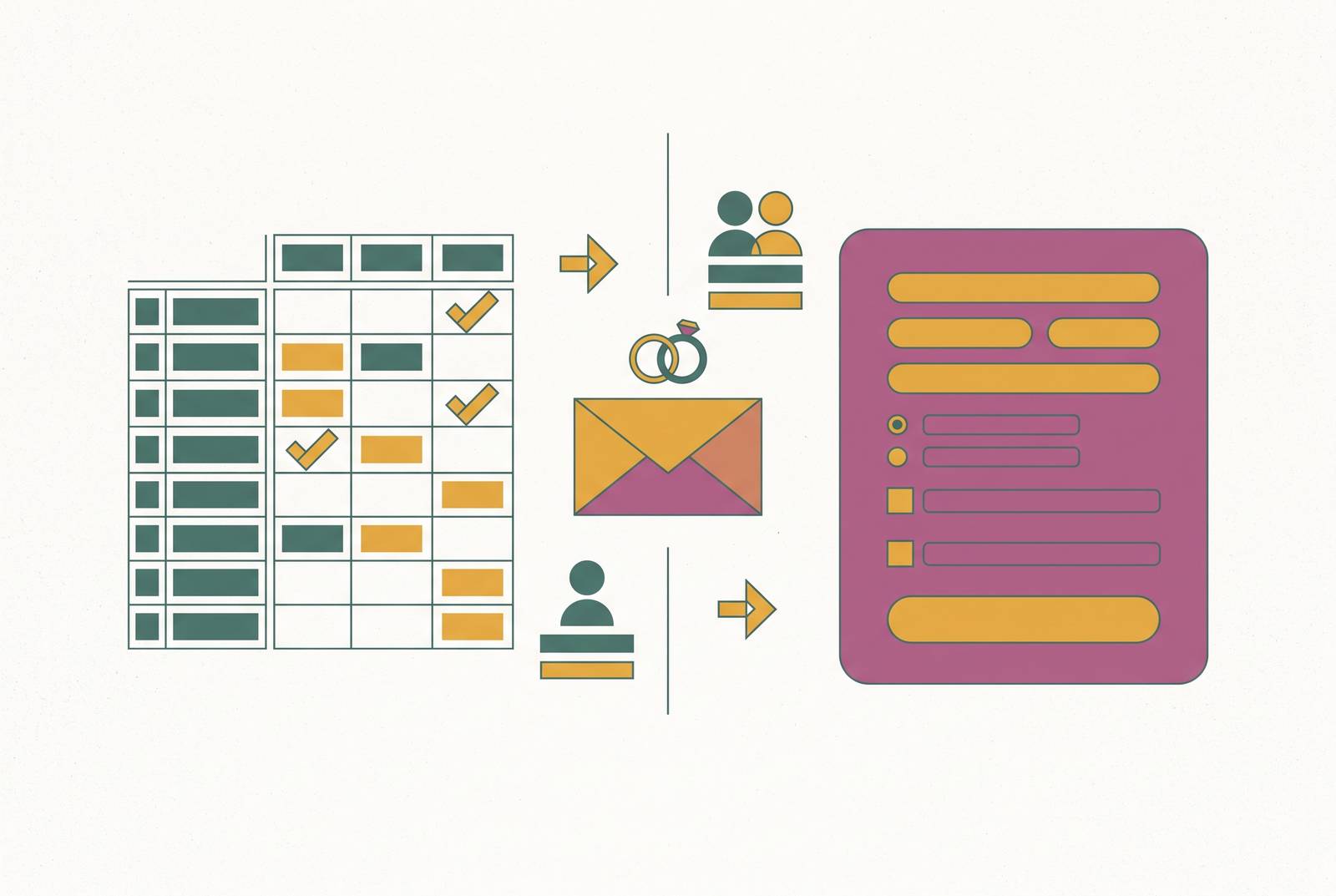
Every submission lands in a linked Google Sheet the moment it is submitted. The couple gets a live headcount without ever copying a name or transcribing a reply. That is the pipeline in its simplest form: structured questions in, organised rows out.
The form itself supports real event logic. Conditional branching lets the form show meal-preference questions only to guests who answer "Yes, I will attend" and skip those questions for guests who decline. That is a meaningful quality-of-life feature for respondents. The confirmation message field can be personalised too, with parking details, a calendar link, or a thank-you note, so the experience feels considered even inside a free tool.
What Google Forms actually collects well, and where Sheets picks up
The two tools are genuinely complementary for the collection stage. Forms handles structured intake and Sheets handles organisation, sorting, and sharing. Within those lanes each does its job reliably, which is why the combination persists as the default.
The fields that work cleanly in Forms cover the core RSVP requirement. Full name as a short answer, required. Attendance confirmation as multiple choice. Email address with validation. Meal preference as a dropdown. Dietary restrictions as a short-answer field. Plus-one name via conditional branching. Dropdown and multiple-choice fields for meal preference prevent a real data-quality problem: one guest writing "chicken would be lovely" while a formula misses the entry entirely. Setting attendance as a required multiple-choice question with exactly two options, "Yes, I will attend" and "No, I cannot make it," keeps the Sheets column clean enough for a COUNTIF formula to return an accurate headcount.
Once responses reach Sheets, the couple can sort by RSVP status, filter by meal choice to produce a count for the caterer, and use the timestamp column to identify who responded after the deadline. Every submission writes itself into a sheet that can be filtered, sorted, and shared with a wedding planner. The integration is native and requires no additional setup. The Sheets tab can be shared with a planner or a partner with view or edit access, making it a usable collaboration layer during the RSVP window.
The structural choices that determine whether the Sheets data stays usable
How a couple structures the form at the start determines whether the Sheets data is clean enough to hand to a caterer or use in a seating chart. Most couples set it up in ways that create problems they discover too late. The good outcomes downstream depend on decisions made before the first response arrives.
The most important decision is one row per person, not one row per household. This is the correct structure for any wedding with individual meal choices or dietary restrictions. A single household row obscures individual headcounts and makes per-person meal choice tracking impossible. A household grouping column keeps families and couples connected across the planning process while preserving individual rows for meal and dietary data. This is a structural decision that cannot be easily retrofitted once responses have started arriving.
Dropdown fields only for RSVP status and meal preference. Free-text answers in those columns break every formula and counting function downstream. Separate columns for first name, last name, email, and phone. A combined name column creates problems when invitation platforms, mail-merge tools, or address-printing services require split fields. The timestamp column that Forms generates automatically is worth preserving. It becomes the only way to identify late responses and chase non-responders systematically.
WedBuild enforces this structure at the form level, capturing the data in the right shape from submission one. That removes the risk that a couple's decisions at the start of planning create data problems they cannot recover from later. The discipline a Sheets pipeline demands is entirely manual and easy to undo.
Where the pipeline hits its ceiling: dietary data, family groupings, and non-responders
The Forms-to-Sheets pipeline appears adequate until the data needs to do something beyond a headcount. At that point three specific failure points emerge that no amount of formula-writing fully resolves. Each connects directly to a real planning consequence, not a usability complaint.
Dietary data is the first. A caterer needs a clean summary, not a column of text, and getting from the Sheets export to that summary requires manual counting or a formula that must be rebuilt every time a guest changes their mind. Free-text dietary fields compound the problem: "nut allergy," "tree nut allergy," and "allergic to nuts" are three different strings that a formula treats as three different categories. The stakes are not only logistical. Certain dietary requirements such as coeliac disease are medical necessities that require dedicated cookware and kitchen practices, not just a note on a spreadsheet. The pipeline has no mechanism to flag a dietary requirement to the seating chart, the caterer brief, and the day-of coordinator simultaneously. The couple must propagate that information manually across every downstream document.
Family groupings and plus-ones create the second failure point. Conditional logic in Forms can capture a plus-one name, but it cannot enforce consistent formatting across respondents or prevent a household from submitting multiple times. Google Forms has a built-in "Limit to 1 response" setting that can prevent duplicate submissions, but it requires respondents to sign in with a Google account. It also does not prevent joke entries or duplicates from users with multiple Google accounts or without a Google account. Families who RSVP as a group, one person filling in the form for four attendees, create rows that do not map cleanly to individual seats, meal choices, or dietary flags.
Non-responders are the third. A significant share of invited guests do not respond before the RSVP deadline, and the form has no mechanism to identify, remind, or chase them. Identifying non-responders requires cross-referencing the guest list against the Sheets responses manually: exporting, comparing, then messaging individually. A form does not chase anyone. The follow-up burden falls entirely on the couple.
The seating handoff: where the Sheets data meets its next problem
Once the RSVP window closes, the data in Sheets must feed a seating chart. There is no native bridge between the two, which means the couple is now maintaining two separate sources of truth that diverge every time a guest changes their answer. The guest list is in Sheets. The seating chart is in a separate tool, on paper, or on sticky notes. Every seat move requires checking back against the RSVP data manually. Dietary requirements that were captured in the RSVP column must be manually re-entered or cross-referenced when assigning seats. The connection between "this guest has a nut allergy" and "this guest sits at table 4" is not automatic.
Late RSVPs and changed answers arrive consistently after the deadline. Each one requires updates in Sheets and then re-checking against the seating layout, compounding the manual burden at the most stressful point in planning. The discipline required to prevent data divergence, treating Sheets as the single source of truth and re-importing every other tool's data back into it, is real ongoing work, not a one-time setup task.
Why RSVP accuracy has a direct dollar consequence for Australian couples
For Australian couples, an inaccurate RSVP count is not just an administrative problem. It translates directly into overspend or a shortfall at the catering and venue line, which together typically account for close to half of total wedding spend. Venue and catering are the budget categories most directly downstream of RSVP data. Per-head food, drink, and venue hire costs mean that every guest added or removed from the final count moves the total by a meaningful amount. A wrong headcount at the caterer confirmation stage has a real dollar consequence, and it lands at the highest per-unit cost in the whole budget.
Australian wedding costs vary significantly by city. Sydney and Melbourne budgets sit considerably higher than Adelaide or Perth, but the per-head cost structure that makes RSVP accuracy consequential applies across all markets. A Sheets tracker built around the Forms pipeline will not flag hidden cost items, either. Corkage, cake-cutting fees, and gratuities accumulate on top of the per-head rate. Those require a budget planner that connects to the guest count.
What a purpose-built RSVP tool handles that the DIY pipeline cannot
The failures of the Forms-to-Sheets pipeline are not failures of the tools themselves. They are failures of disconnection. A purpose-built platform resolves them by keeping every piece of data in a single flow rather than requiring manual transfer between tools.
WedBuild, built by an Australian couple who planned their own wedding, connects the wedding website, digital invitations, RSVP collection, guest list, dietary requirements, seating chart, and budget planner as a single end-to-end flow. Dietary requirements collected at RSVP automatically sync to the seating chart. That is the connection the Forms-to-Sheets pipeline requires couples to make manually on the morning of the wedding. Guest list, RSVP status, and meal selections live in one place, so nothing gets exported to a second tool or re-entered. Digital invitations are sent and tracked from the same platform that collects RSVPs, so the couple sees open rates, responses, and outstanding guests in one view. The budget planner and guest list live on the same platform, so the headcount and budget categories are managed together rather than through a separate Sheets update. A day-of QR seat finder makes the seating data collected during planning accessible at the venue without printing and distributing a separate chart. The platform is built in Australia, with pricing in AUD, plus USD, NZD, GBP, EUR, and JPY for couples worldwide, and vendor categories and seasons that match how Australian couples plan. It is free to start, with optional paid upgrades and no recurring subscription required. For couples whose RSVP needs are genuinely simple, a small guest list, a single-event wedding, no complex dietary tracking, the Forms-to-Sheets pipeline remains a reasonable free option. The condition is that the structural decisions above are made correctly from the start.
How to decide which approach fits your wedding before you build anything
The right tool depends on guest count, dietary complexity, and how much of the broader planning the couple wants to manage in one place. Knowing which scenario you are in before building anything saves weeks of rework. Google Forms and Sheets work well when the guest list is small, dietary requirements are minimal, the wedding is a single event with no multi-function complexity, and the couple is comfortable with spreadsheet formulas and manual data transfers. The pipeline starts to break down when the guest count grows large enough that non-response chasing becomes a project in itself, when dietary requirements include medical-grade needs that must reach the caterer accurately, or when the seating chart and RSVP data need to stay in sync as guests change their answers.
If the couple is already using a wedding website, sending digital invitations, tracking a budget, and building a seating chart, running RSVPs through a separate Forms pipeline means maintaining four or five disconnected tools instead of one. The practical test: if you find yourself exporting Sheets data into another tool more than once, or manually reconciling dietary requirements against a seating chart, the pipeline has already exceeded its useful ceiling. WedBuild is free to start. A couple can set up their wedding website, RSVP collection, and guest list without committing to a paid plan, which means the cost of testing it against the DIY pipeline is zero.